> ## Documentation Index
> Fetch the complete documentation index at: https://support.smartshipping.app/llms.txt
> Use this file to discover all available pages before exploring further.
# Manage Regions
> Add states, provinces, and regional coverage to your zones
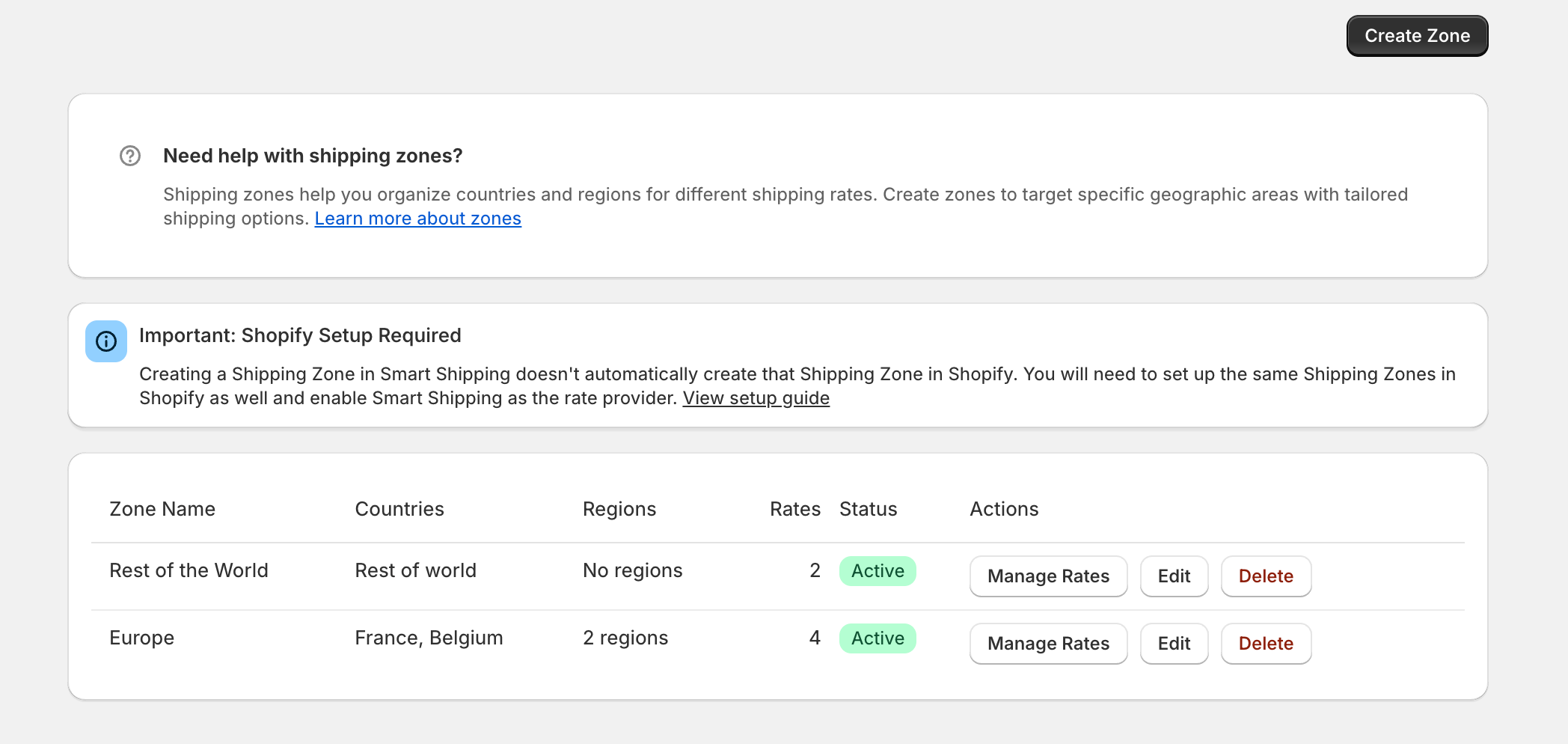 # Manage Regions
Target specific states or provinces within countries instead of entire countries.
## What Are Regions?
# Manage Regions
Target specific states or provinces within countries instead of entire countries.
## What Are Regions?
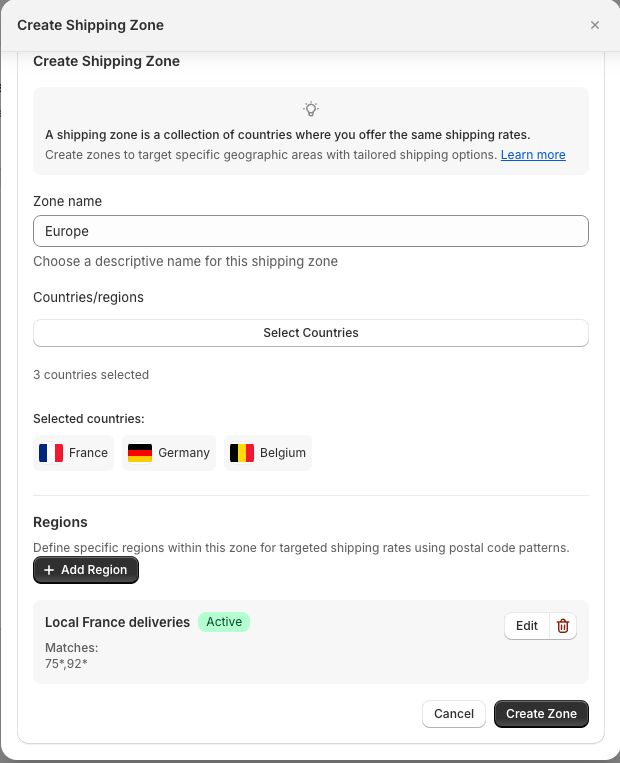 Target specific areas within countries:
* **US states** → US-CA, US-NY, US-TX
* **Canadian provinces** → CA-ON, CA-QC, CA-BC
* **UK countries** → GB-ENG, GB-SCT, GB-WLS
**Why use regional targeting:**
* Focus on profitable regions
* Test new markets gradually
* Meet regional restrictions
## Regional Code Format
Target specific areas within countries:
* **US states** → US-CA, US-NY, US-TX
* **Canadian provinces** → CA-ON, CA-QC, CA-BC
* **UK countries** → GB-ENG, GB-SCT, GB-WLS
**Why use regional targeting:**
* Focus on profitable regions
* Test new markets gradually
* Meet regional restrictions
## Regional Code Format
 **Format:** COUNTRY-REGION
**Examples:**
```
US-CA → California CA-ON → Ontario
US-NY → New York CA-QC → Quebec
US-TX → Texas GB-ENG → England
```
## Regional Zone Examples
### West Coast Zone
**Format:** COUNTRY-REGION
**Examples:**
```
US-CA → California CA-ON → Ontario
US-NY → New York CA-QC → Quebec
US-TX → Texas GB-ENG → England
```
## Regional Zone Examples
### West Coast Zone
 ```
Zone Name: "West Coast"
Countries: US
States/Provinces: US-CA, US-WA, US-OR
Status: Active
```
### Canadian Provinces
```
Zone Name: "West Coast"
Countries: US
States/Provinces: US-CA, US-WA, US-OR
Status: Active
```
### Canadian Provinces
 ```
Zone Name: "Canada Major Markets"
Countries: CA
States/Provinces: CA-ON, CA-QC, CA-BC
Status: Active
```
## Setting Up Regional Zones
```
Zone Name: "Canada Major Markets"
Countries: CA
States/Provinces: CA-ON, CA-QC, CA-BC
Status: Active
```
## Setting Up Regional Zones
 1. **Create zone** with descriptive name
2. **Add country** (US, CA, etc.)
3. **Add states/provinces** using COUNTRY-REGION format
4. **Set status** to Active
5. **Add shipping rates** to the zone
## Managing Regional Zones
**Monitor performance:**
* Check Dashboard for region request volumes
* Identify high-performing regions for expansion
* Review low-performing regions
## Troubleshooting
**Region not matching?**
* Use format: US-CA (not California)
* Check zone is Active
* Test in Rate Sandbox
**No rates showing?**
* Add shipping rates to regional zone
* Verify zone has active rates
## Next Steps
1. [Add postal codes](postal-codes) for local delivery
2. [Create rates](../rates/create-rates) for your regions
3. [Test coverage](../sandbox/test-scenarios)
1. **Create zone** with descriptive name
2. **Add country** (US, CA, etc.)
3. **Add states/provinces** using COUNTRY-REGION format
4. **Set status** to Active
5. **Add shipping rates** to the zone
## Managing Regional Zones
**Monitor performance:**
* Check Dashboard for region request volumes
* Identify high-performing regions for expansion
* Review low-performing regions
## Troubleshooting
**Region not matching?**
* Use format: US-CA (not California)
* Check zone is Active
* Test in Rate Sandbox
**No rates showing?**
* Add shipping rates to regional zone
* Verify zone has active rates
## Next Steps
1. [Add postal codes](postal-codes) for local delivery
2. [Create rates](../rates/create-rates) for your regions
3. [Test coverage](../sandbox/test-scenarios)
